
Instructions
Use the instructions below to edit components. Contact me at damiosoba.ux@gmail.com for more details or customizations
How to add a new testimonial to slider
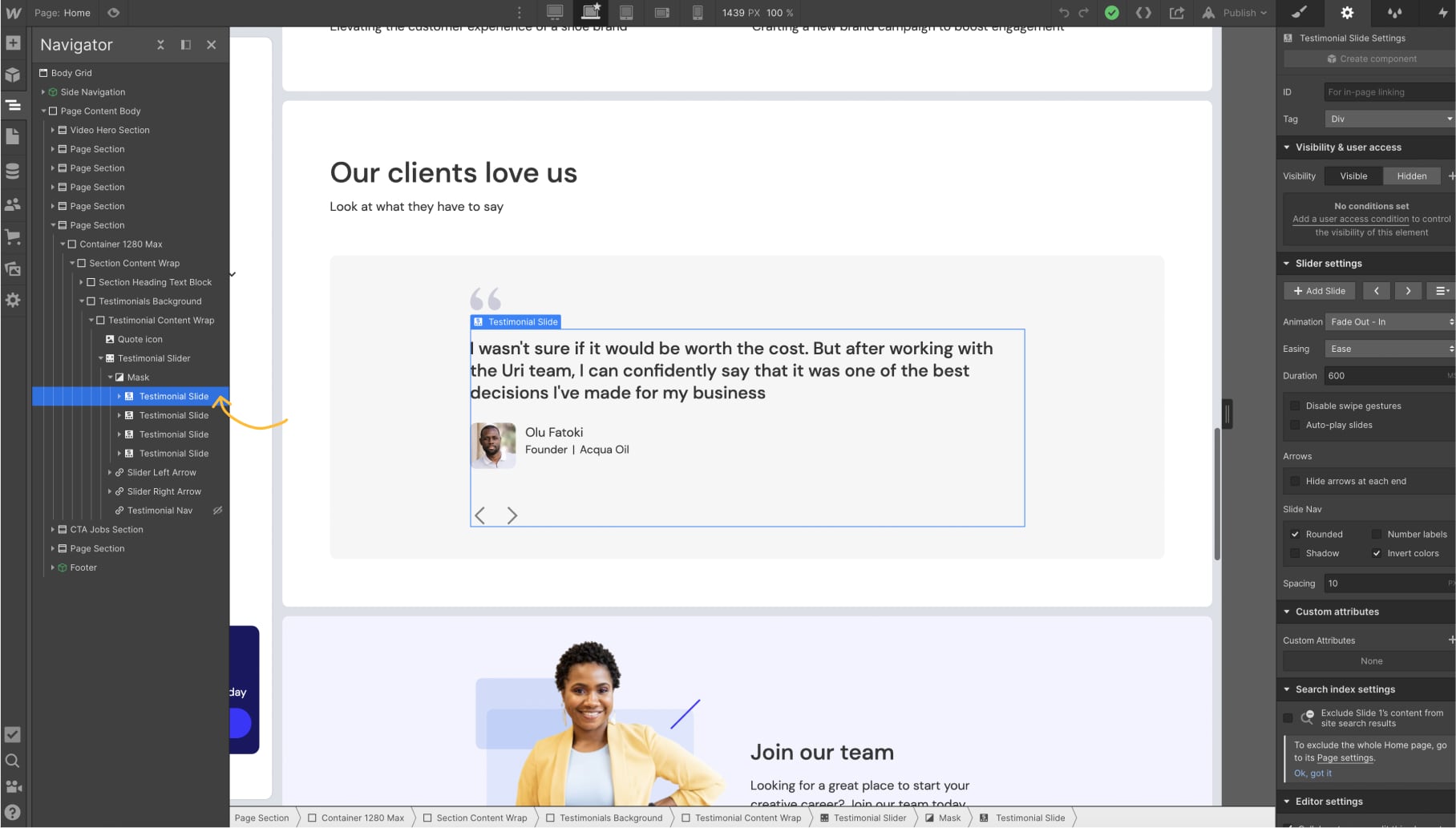
Duplicate one of the existing slides
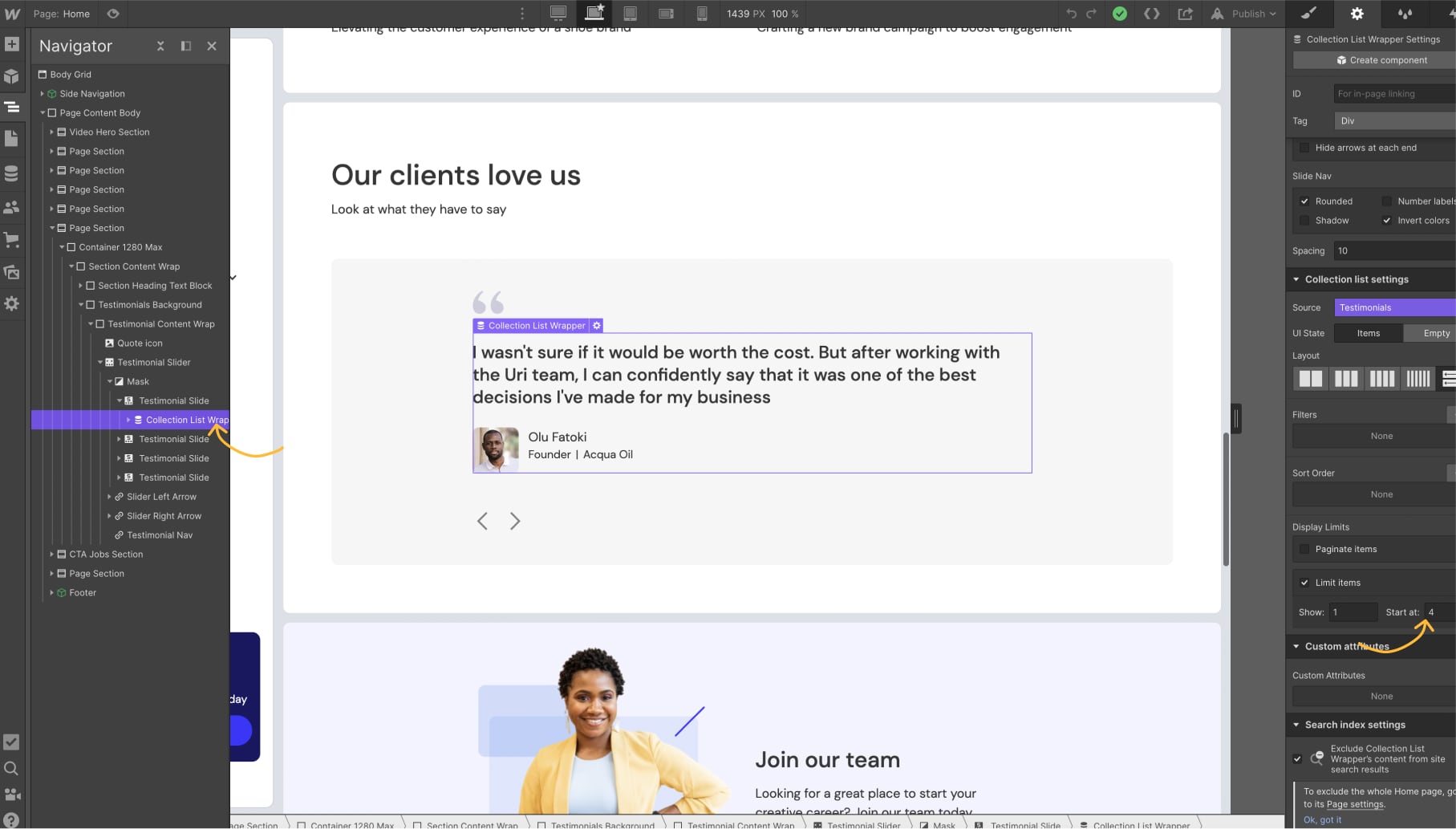
Select the collection within the slide and change the "start at" number in the "limit items" options to the latest number. In this example it will be 5.
How to add notification animation to side nav on new pages
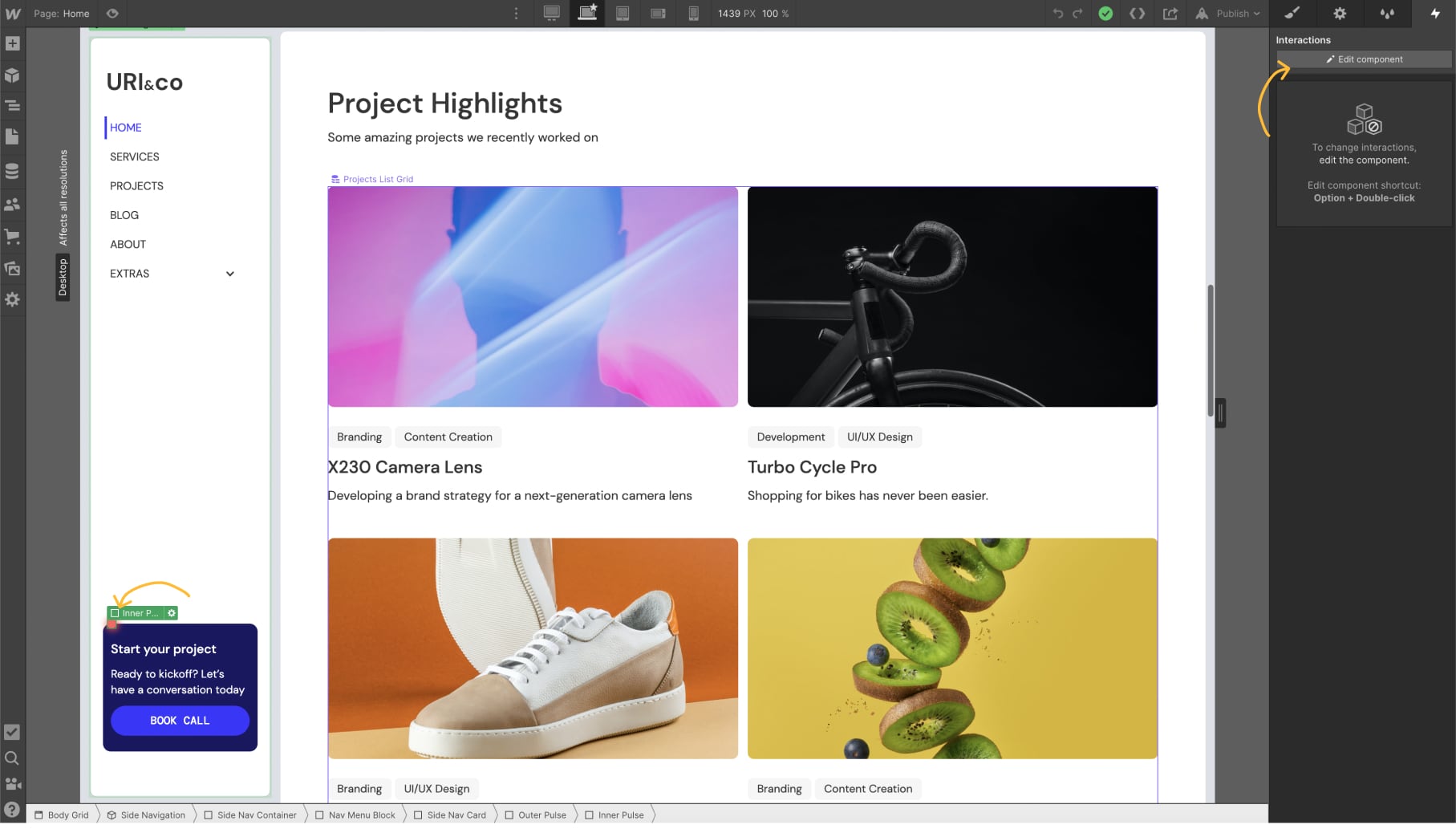
Select the "Inner Pulse" div and click Edit component
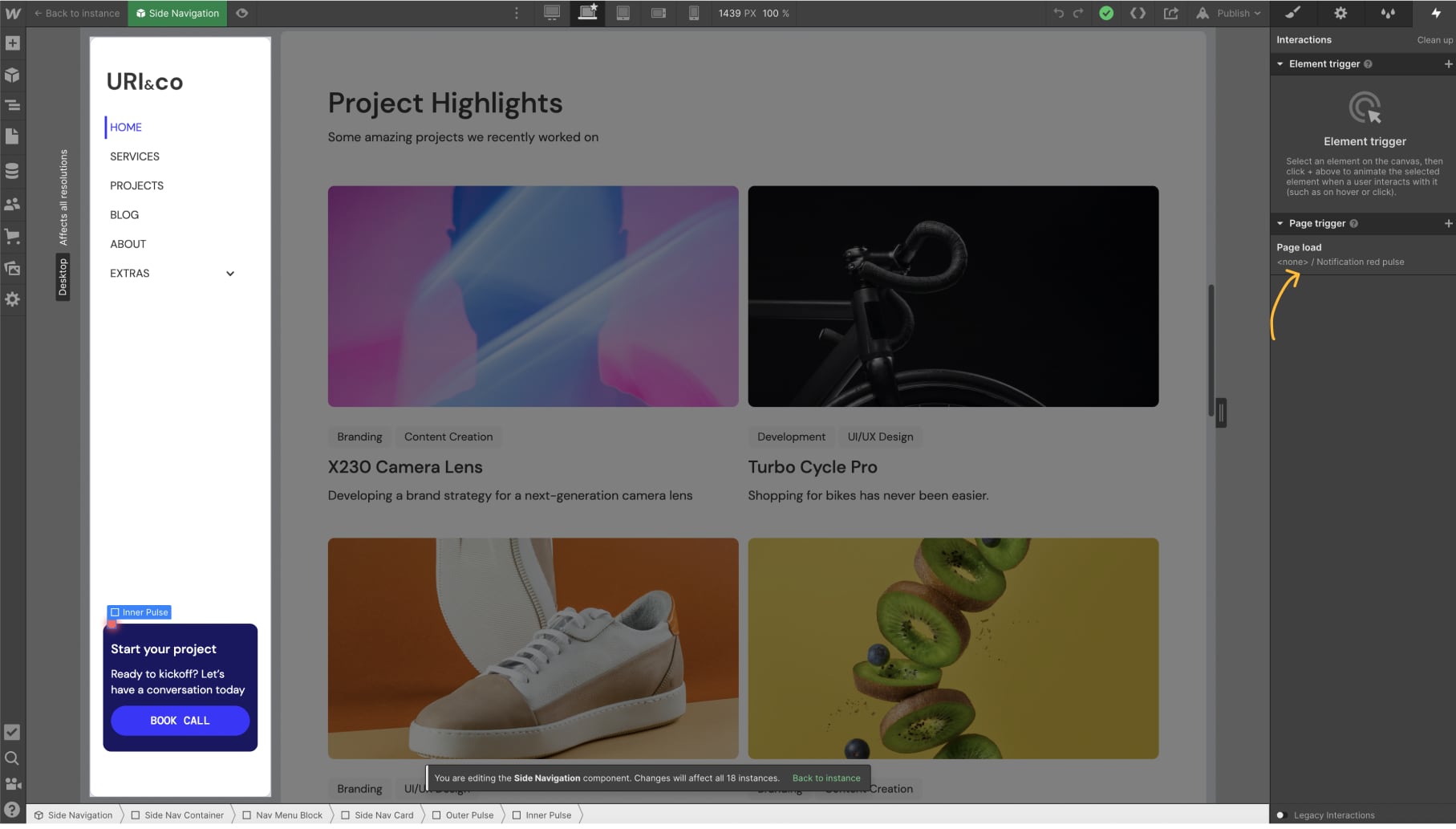
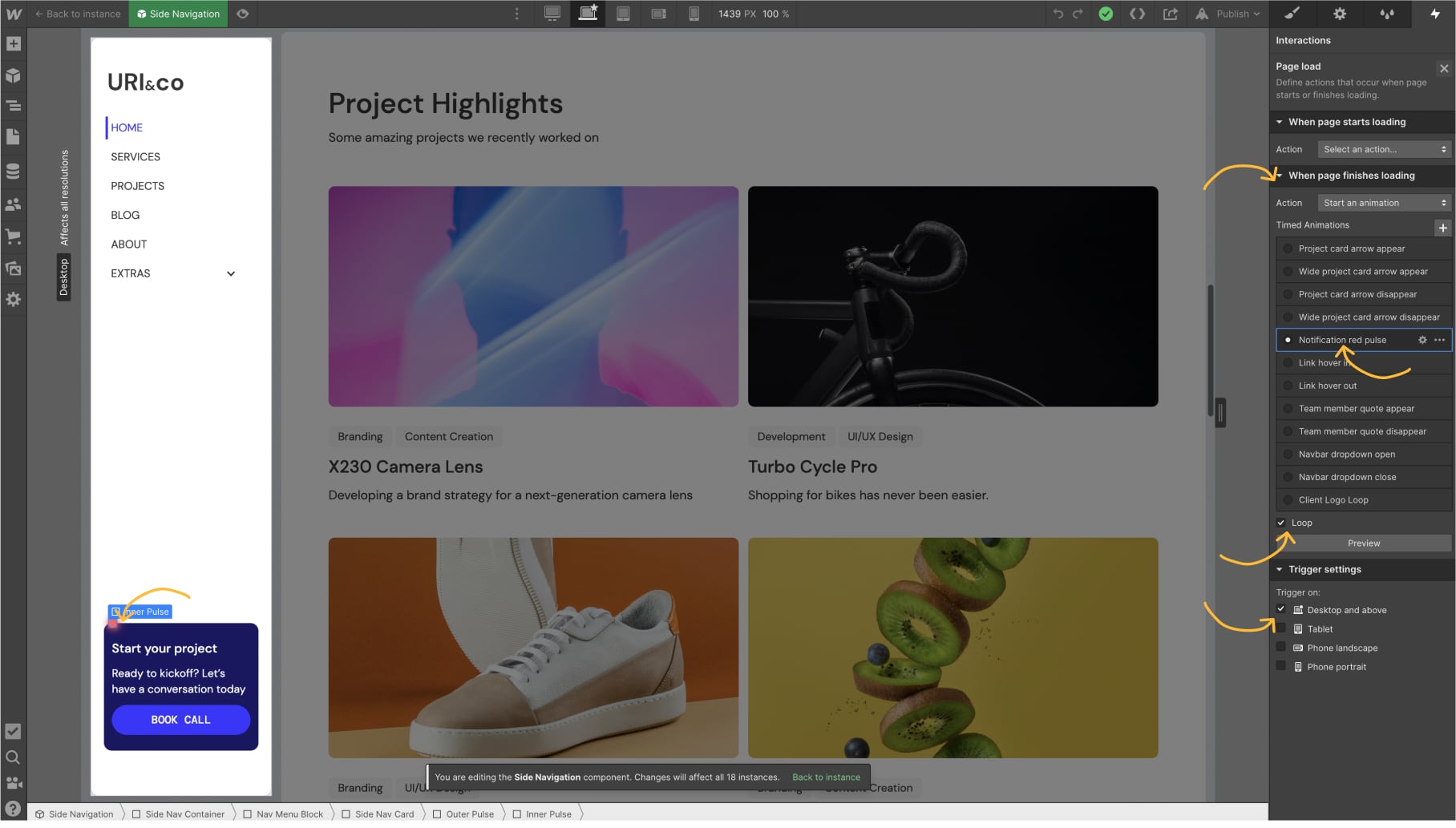
- Switch to the Interactions Panel.
- Select the page trigger called page load, under when page finishes loading , select "Notification Pulse"
- Don't forget to check the loop box
- Also uncheck all devices except for desktop and above
